An SSL certificate checker is an online tool that scans a website's SSL/TLS certificate to reveal its validity, expiration date, issuer details, protocol configuration, and potential security vulnerabilities. For website owners and developers, this type of tool acts as an automated diagnostic instrument. It replaces the tedious process of manually inspecting certificates through browser developer tools or command-line utilities.
Think of it as a health check for your website's encrypted connection. When visitors see that padlock icon in their browser's address bar, they trust your site with their data. An SSL certificate checker verifies that trust is well-placed.
Without regular scanning, expired certificates, misconfigured protocols, and overlooked TLS security issues can quietly erode both user confidence and search engine rankings.
Key Takeaways
- An SSL certificate checker scans your site's certificate, expiry date, and HTTPS configuration automatically.
- Expired SSL certificates cause browser warnings that drive away roughly 85% of visitors.
- Regular website security checks catch misconfigurations before they become exploitable vulnerabilities.
- Free tools like sslchecker.dev provide AI-powered guidance alongside raw scan data.
- Mixed content errors remain the most common SSL certificate error on production websites today.
What Is an SSL Certificate Checker and How Does It Work?
Anatomy of a Scan
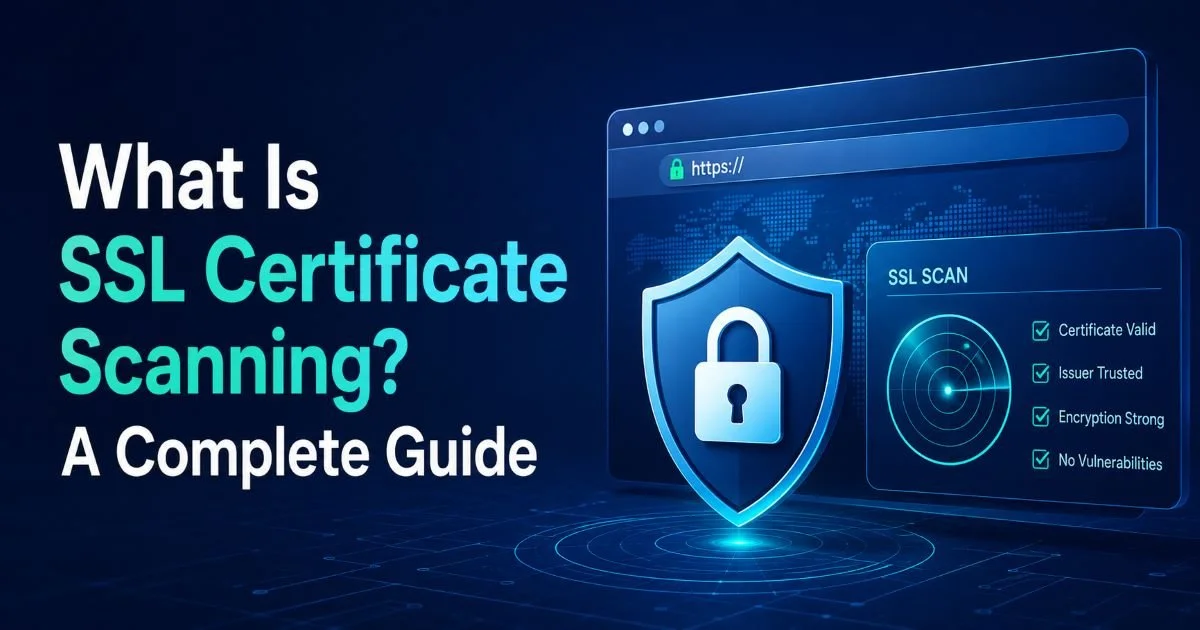
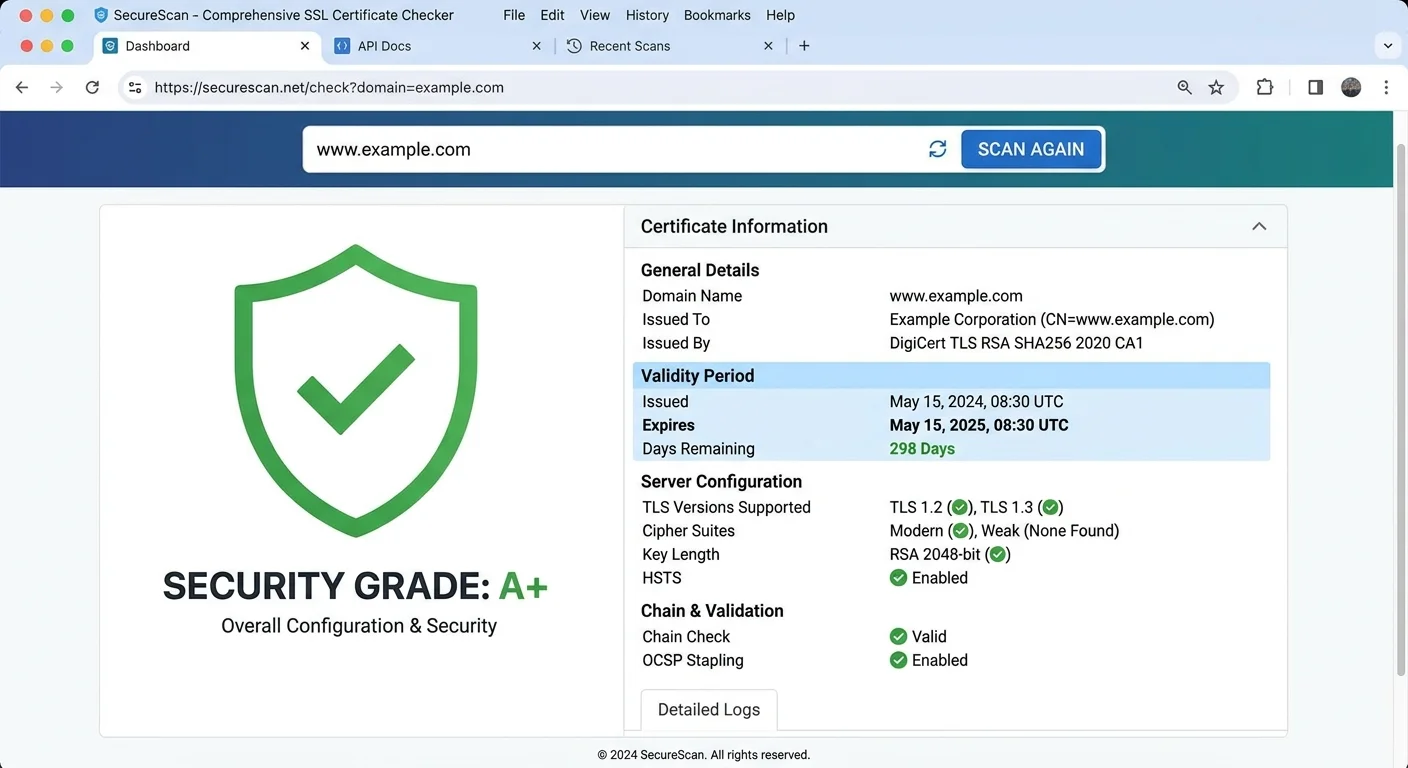
When you enter a URL into an SSL certificate checker, the tool initiates a TLS handshake with the target server, just as a browser would. During this handshake, it captures the server's certificate chain, supported cipher suites, and protocol versions. The tool then parses this information and checks it against known standards. It verifies whether the certificate was issued by a trusted Certificate Authority, whether the chain of trust is complete, and whether the certificate covers the exact domain you queried.
The scan also evaluates the ssl expiry date, which is the single most common point of failure for production websites. Certificates typically last 90 days (Let's Encrypt) or up to 398 days (commercial CAs). The tool calculates remaining validity and flags certificates approaching expiration. For a deeper understanding of what these certificates actually contain, SSL.com's detailed explainer covers the technical structure of SSL/TLS certificates thoroughly.
Beyond basic validity, a comprehensive https security scan examines the server's protocol support. It checks whether outdated protocols like TLS 1.0 or 1.1 are still enabled, flags weak cipher suites, and tests for known vulnerabilities such as Heartbleed or POODLE. The output typically includes a graded score and a prioritized list of recommendations. This makes it actionable rather than just informational.
Schedule automated SSL scans at least once per week. Certificate revocations and server misconfigurations can appear between deployments.
The AI Guidance Layer
Modern tools like sslchecker.dev go beyond raw data by offering AI-powered interpretation. Instead of presenting a wall of technical output, the AI layer translates findings into plain-language recommendations. It tells you not just that your certificate chain is incomplete, but explains exactly which intermediate certificate is missing and how to install it on your specific server type. This bridges the gap between security expertise and practical implementation.
The AI guidance also prioritizes issues by severity. A developer seeing ten flagged items needs to know which one to fix first. Is the deprecated TLS 1.0 support more urgent than a missing HSTS header? The tool ranks these based on exploitability and real-world impact, saving you from decision paralysis. This contextual approach transforms a simple scanner into a genuine security advisor for your website.
Why SSL Checking Matters for Website Owners
Trust, SEO, and Revenue
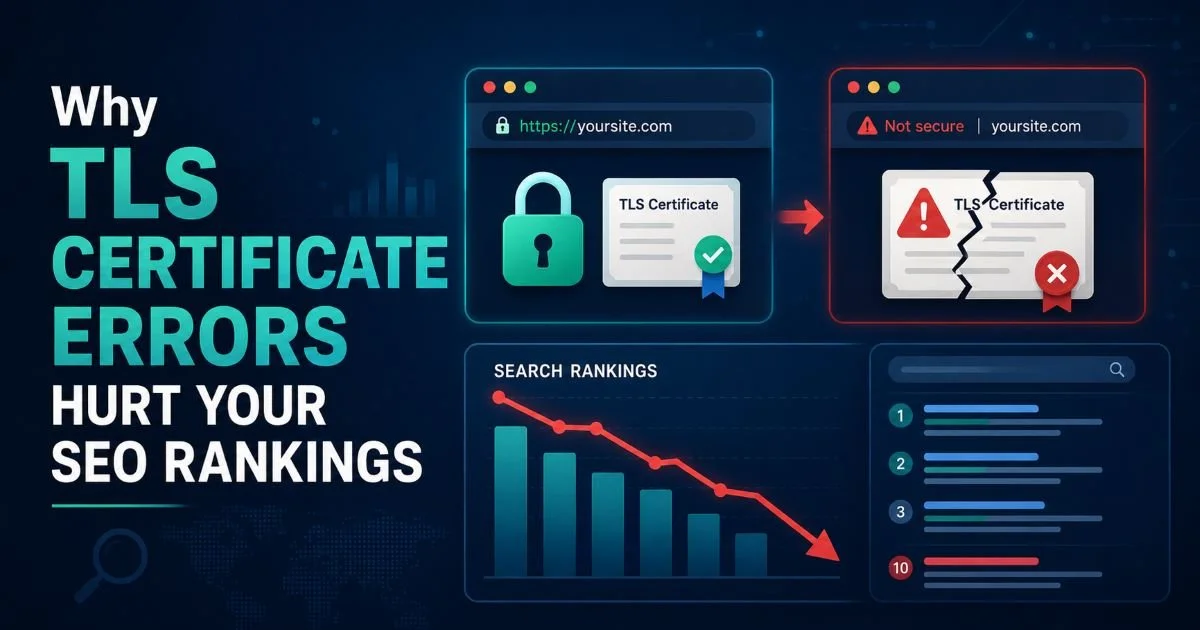
Google has used HTTPS as a ranking signal since 2014, and Chrome now labels HTTP sites explicitly as "Not Secure." Running a regular website security check protects your search visibility and user trust simultaneously. Studies consistently show that security warnings in the browser address bar cause most visitors to leave immediately. For e-commerce sites, even a brief certificate lapse during peak traffic can translate into thousands of dollars in lost sales within hours.
The relationship between SSL health and conversion rates is well documented. A valid certificate with strong configuration signals professionalism. Visitors may not consciously check your certificate details, but their browser does, and it communicates trust through visual indicators. When those indicators turn negative (a broken padlock, a red warning page), the damage is immediate and measurable. Monitoring your SSL status is not optional; it is a direct revenue protection strategy.
"A single expired certificate during Black Friday weekend can cost an e-commerce site more than a year's worth of SSL management tools."
Compliance Requirements
Beyond business metrics, regulatory frameworks mandate encryption. PCI DSS requires TLS 1.2 or higher for any site handling payment card data. HIPAA demands encryption for protected health information in transit. GDPR, while not prescribing specific protocols, expects "appropriate technical measures," and courts have interpreted weak encryption as a violation. An SSL certificate checker helps you verify compliance continuously rather than discovering gaps during an audit.
Organizations in regulated industries often need documented proof that their encryption meets standards. Scan reports from tools like sslchecker.dev can serve as part of your compliance evidence trail. They timestamp each check, record the protocols and ciphers in use, and note any deviations from best practices. This documentation habit turns routine scanning into a compliance asset that auditors actually appreciate.
Common Issues and Misconceptions
Frequent SSL Certificate Errors
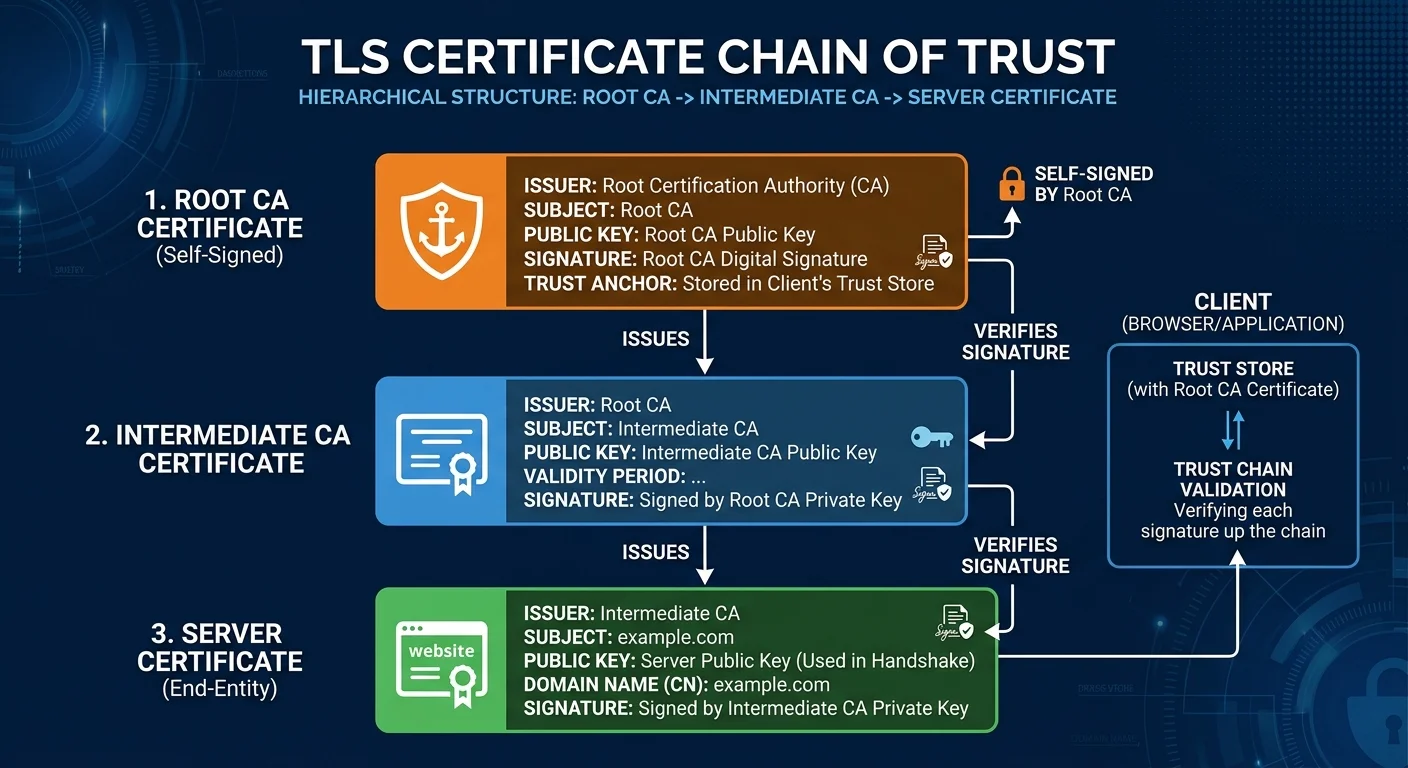
The most common ssl certificate errors fall into predictable categories. Expired certificates top the list, usually because auto-renewal failed silently or the responsible team member left the organization. Incomplete certificate chains rank second; the server presents its own certificate but omits the intermediate certificate that links it to a trusted root CA. Browsers sometimes fill in the gap by caching intermediates, which masks the problem until a new visitor or a different browser encounters the broken chain.
Mixed content warnings are another persistent headache. Your site loads over HTTPS, but embedded images, scripts, or stylesheets still reference HTTP URLs. This triggers browser warnings and can even block resources entirely, breaking page functionality. Name mismatch errors occur when a certificate issued for "www.example.com" is served on "example.com" or a subdomain. Each of these problems is detectable through a proper https security scan before your users encounter them.
Never ignore certificate chain warnings in scan results. While Chrome may work fine due to cached intermediates, Safari and mobile browsers often fail, causing silent user loss.
| Error Type | Frequency | User Impact | Fix Difficulty |
|---|---|---|---|
| Expired Certificate | Very Common | Full browser block | Easy |
| Incomplete Chain | Common | Intermittent failures | Moderate |
| Mixed Content | Very Common | Broken padlock, blocked resources | Moderate |
| Name Mismatch | Occasional | Full browser warning | Easy |
| Weak Cipher Suites | Declining | Vulnerable to attacks | Moderate |
| Revoked Certificate | Rare | Full browser block | Requires reissuance |
Myths Debunked
One persistent myth is that SSL certificates slow down websites. In reality, TLS 1.3 reduced the handshake to a single round trip, and session resumption makes subsequent connections even faster. Modern hardware handles encryption with negligible overhead. Another misconception is that free certificates from Let's Encrypt are somehow less secure than paid alternatives. The encryption strength is identical. Paid certificates may offer organizational validation, warranties, or wildcard coverage, but the actual cryptographic protection is the same.
Some developers believe that installing a certificate is a one-time task. This is dangerously wrong. Certificates expire, protocols get deprecated, and new vulnerabilities emerge regularly. The OpenSSL Heartbleed bug in 2014 affected an estimated 17% of all HTTPS servers worldwide. Without ongoing monitoring through an SSL certificate checker, you would only discover such problems after users report errors or, worse, after a breach. Security is a continuous process, not a checkbox.
Let's Encrypt certificates are valid for only 90 days by design. This short lifespan encourages automation and limits exposure if a private key is compromised.
SSL, TLS, and Related Concepts
SSL vs. TLS
Strictly speaking, SSL (Secure Sockets Layer) has been deprecated since 2015. Every modern "SSL certificate" actually uses TLS (Transport Layer Security), with TLS 1.2 and 1.3 being the current standards. The term "SSL" persists in common usage because it became synonymous with website encryption decades ago. When an SSL certificate checker scans your site, it is testing TLS configurations. Understanding this distinction matters because security scanners that flag "SSL" vulnerabilities are referring to issues with old protocol versions that should be disabled entirely.
TLS 1.3, finalized in 2018, brought significant improvements. It removed support for weak cryptographic algorithms, simplified the handshake process, and introduced zero round-trip time (0-RTT) resumption for returning connections. If your server still supports TLS 1.0 or 1.1, major browsers will display warnings or refuse to connect altogether. A thorough website security check will flag outdated protocol support and recommend disabling it, which typically requires a few lines of server configuration changes.
Certificates in Modern Architecture
Modern web applications often involve multiple services, each potentially requiring its own certificate. Microservices architectures, API gateways, CDNs, and load balancers all terminate TLS connections at different points. If you are building API-driven applications, your API gateway configuration needs its own certificate management strategy. Each endpoint in the chain is a potential point of failure where certificates can expire or become misconfigured independently.
Container orchestration platforms like Kubernetes add another layer of complexity with certificate management for internal service-to-service communication (mTLS). Certificate rotation, secret management, and automated renewal become operational requirements rather than nice-to-have features. Running periodic scans against all your public-facing endpoints helps catch the certificates that slip through automated renewal pipelines. The more complex your architecture, the more valuable a reliable SSL certificate checker becomes as part of your monitoring toolkit.
Map every public endpoint in your infrastructure and add each one to your SSL monitoring rotation. Shadow IT and forgotten staging environments are frequent sources of certificate expiry incidents.
Frequently Asked Questions
?How often should I run an SSL certificate checker on my site?
?Does a valid SSL cert mean my site is safe from phishing abuse?
?Is there a cost difference between Let's Encrypt and commercial CA certs?
?What is a mixed content error and why is it the most common SSL issue?
Final Thoughts
SSL certificate checking is not a luxury or an advanced practice. It is a fundamental part of responsible website management. Whether you run a personal blog or a high-traffic SaaS platform, your certificates will expire, configurations will drift, and new vulnerabilities will surface.
Build certificate scanning into your regular workflow, and you will catch problems weeks before your users ever notice them.
Disclaimer: Portions of this content may have been generated using AI tools to enhance clarity and brevity. While reviewed by a human, independent verification is encouraged.